Starter
For a single café or shop getting organised.
$29/month
- 1 location
- Inventory counts
- Low-stock alerts
- Basic reports
Work Together. Stay Stocked.
BeeStockers tracks what’s on your shelves at every location, warns you before anything runs low, and tells you exactly what to order. Built for cafés, creameries and restaurants, so your whole team stays in sync.
No credit card needed · Set up in about 10 minutes
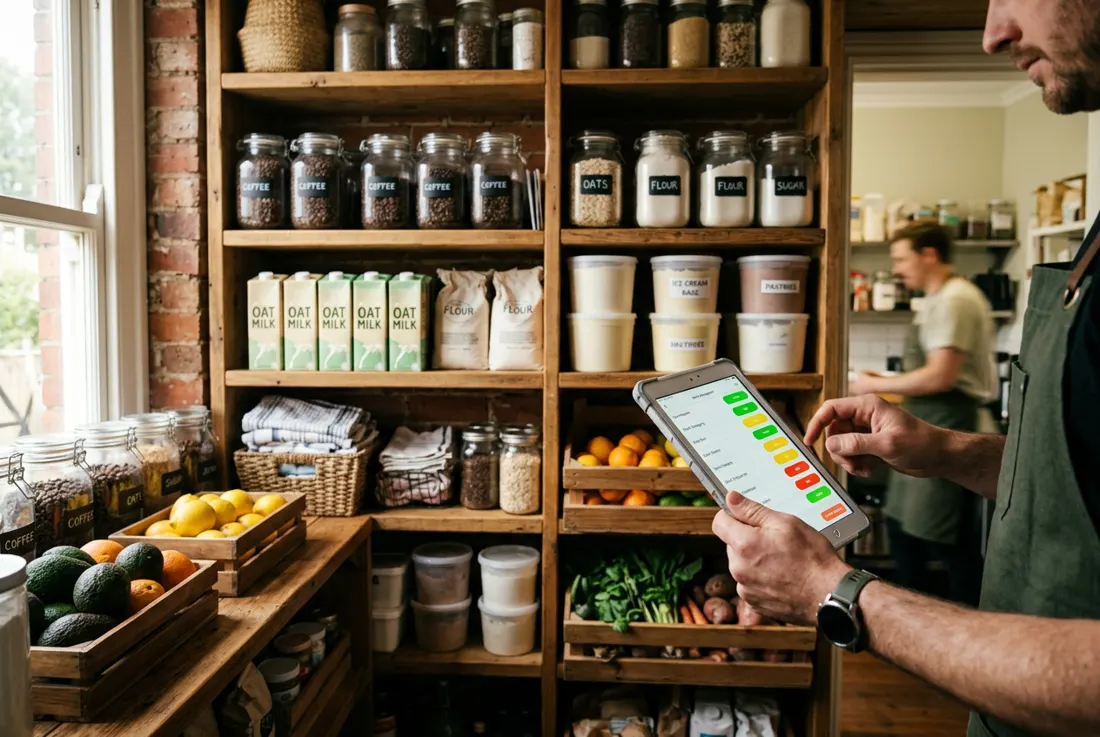
Like a hive, everyone pitches in. Owners and staff count, receive and log from their own phones.
Every product, location and supplier in its own cell, so nothing gets lost on a busy shift.
Clear green, yellow and red levels and a ready-made reorder list keep the shelves full.
The oat milk is gone at 9:40 on a Saturday. The waffle cones ran out before the dinner crowd. Every stock-out is a lost sale and an awkward “sorry, we’re out.”
Ordering from memory means too much of what spoils and not enough of what sells. BeeStockers shows what’s low and suggests how much to reorder.
No more texting “can someone check the walk-in?” Staff count from their phone in minutes and you see the result the moment they’re done.
Features
Walk the shelves and tap in quantities. Built for gloves-off, two-minute counts.
Set a low and a critical level per product and see warnings before anything runs out. Email alerts are coming soon.
See every product’s status at a glance across each location.
A ready-to-send list with suggested order amounts based on your levels.
Log what comes in, what sells and what gets thrown out, so stock stays accurate.
Connect Square and sales lower stock automatically. (Pro and Business)
Understand food cost and margins by product and category.
Run up to 3 sites on Business, with combined reports and transfers between them.
Invite staff by email. Everyone works together in your business’s own private space.
How it works
Name your business, add your locations, then add products with a photo, unit and category. Set a low and critical level for each.
Your team records counts, deliveries, sales and waste from their phones. Connect Square and sales are deducted for you.
When something drops into yellow or red, you get an email and a reorder list with suggested amounts — ready to send to suppliers.
Pricing
Every plan starts with a 7-day free trial. No credit card needed.
For a single café or shop getting organised.
$29/month
For busy kitchens that want ordering on autopilot.
$59/month
For groups running more than one site.
$99/month